

How To Grant Someone Admin Rights To Your LinkedIn Business Page
Here’s a quick and easy guide to granting someone admin access to your LinkedIn business page.
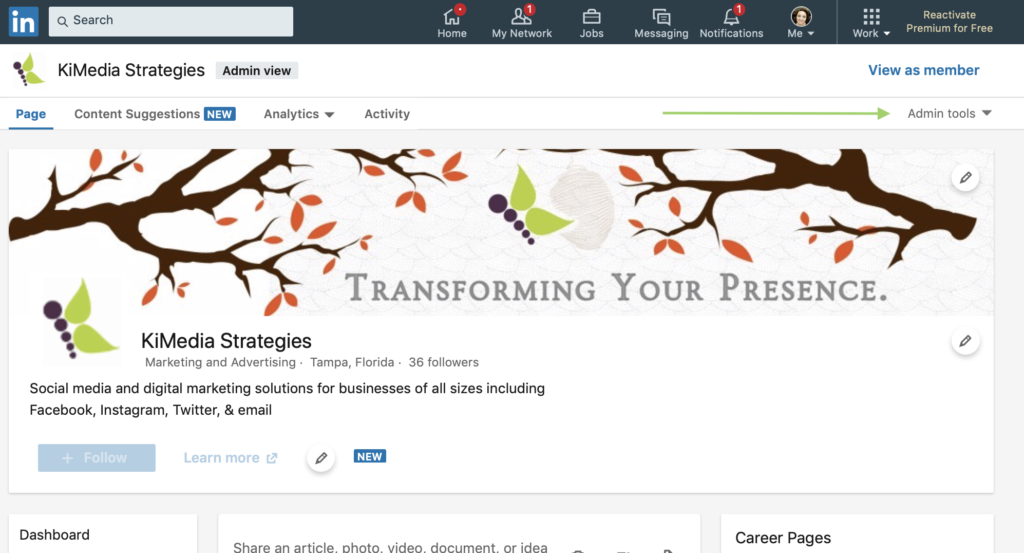
Step 1: Log into your LinkedIn account and head on over to your business page.
TIP: Make sure you’re on the admin side, not viewing as a member.
Step 2: Click on “Admin Tools”
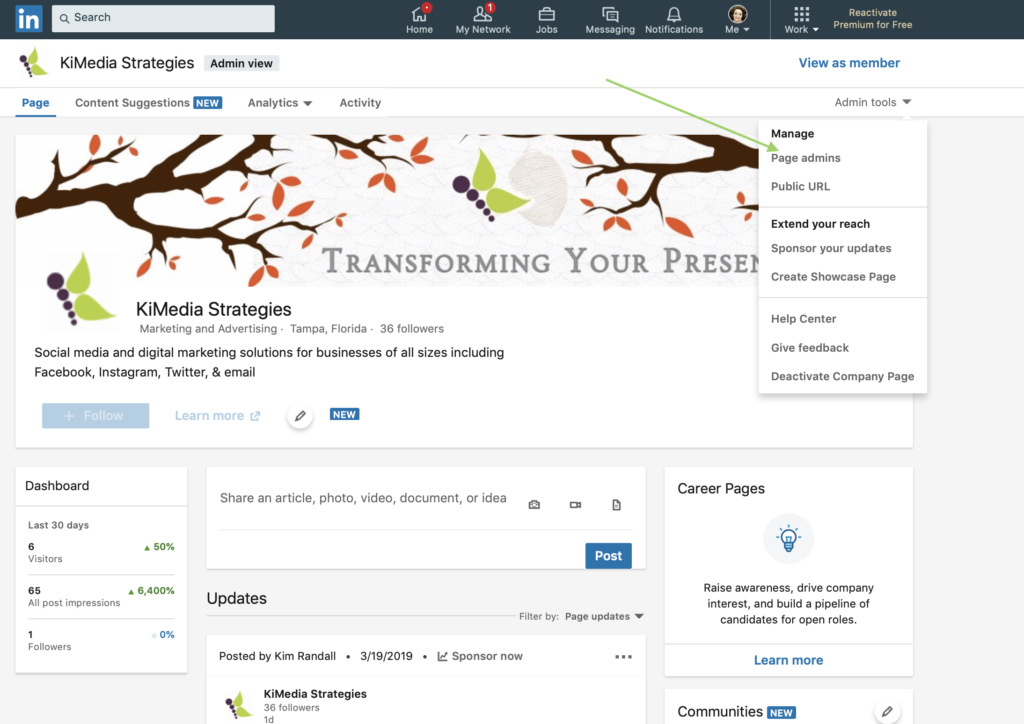
Step 2: Select “Page Admins”
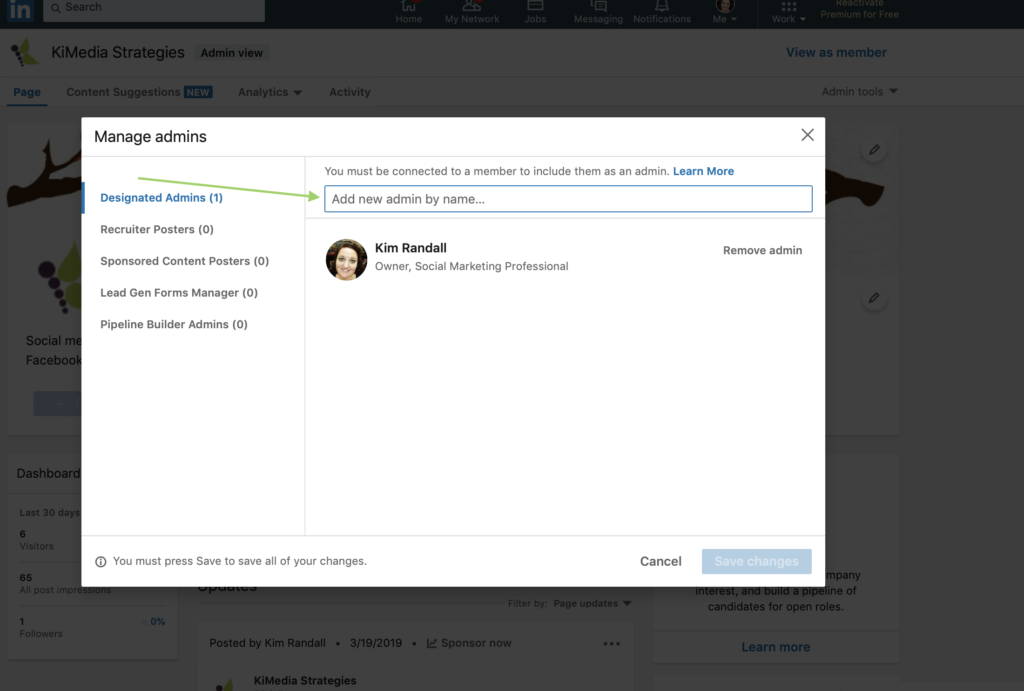
Step 3: Let’s find the person you need to give access to!
Type in the name of the person you’re granting admin rights to. A list will start populating so go ahead and choose the right account/person.
Congrats!
You have successfully granted someone admin access to your LinkedIn business page!
The person you admin granted rights to will receive a notification to admin your page.